Virtual DJ stuff
Spout in
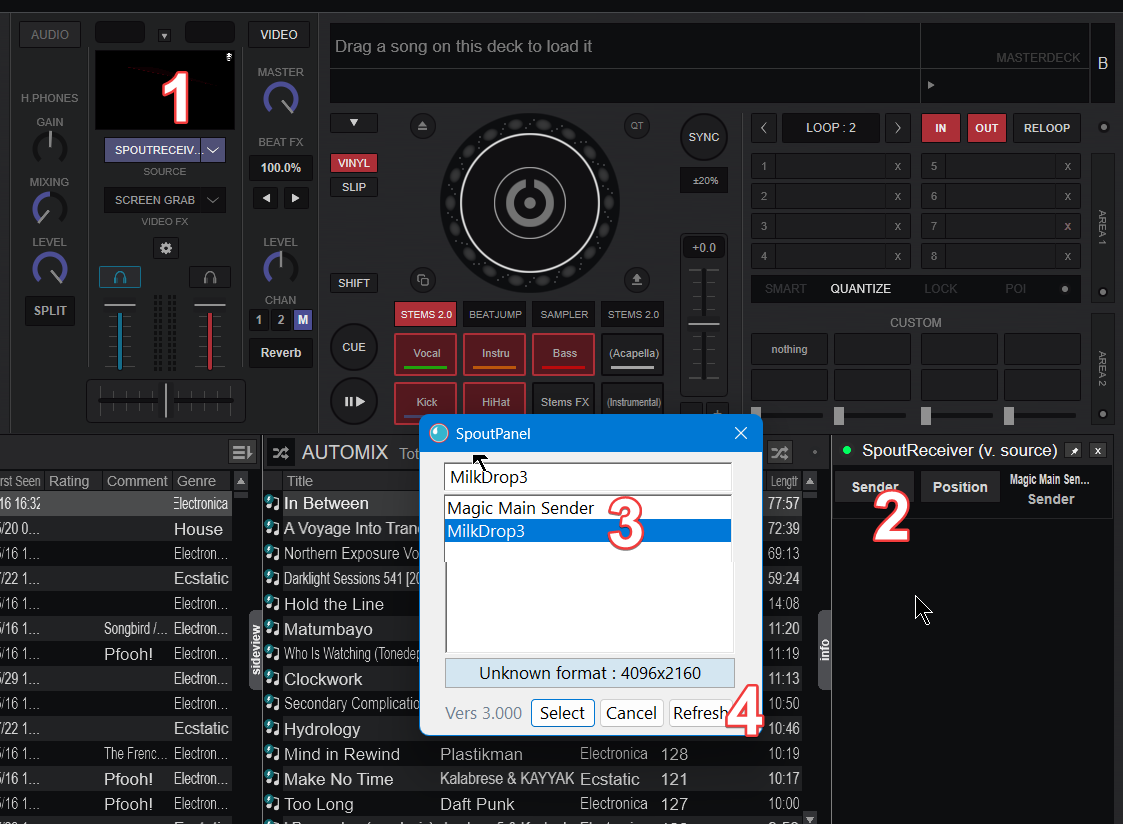
To switch spout source, in video → spout receiver → settings click the 'sender' button which will open the spout panel. Choose the receiver and then click select.
Next 'slideshow'
use audioOnlyVisualisation
bigger playhead line
Search for <overlay> and change width, be sure to use edited skin, not original
Custom Buttons
kill samples and Acapella
action_deck 1 ? sampler_stop all & stem_pad Acapella ? stem_pad acapella : nothing : action_deck 2 ? sampler_stop all & stem_pad Acapella ? stem_pad acapella : nothing
toggle Acapella
action_deck 1 ? stem_pad isolate 'vocal' : action_deck 2 ? stem_pad isolate 'vocal'